
FROM ORDER TO PICKUP.
Create the delivery, prepare the order and hand it off to the assigned driver — all through one simple workflow.
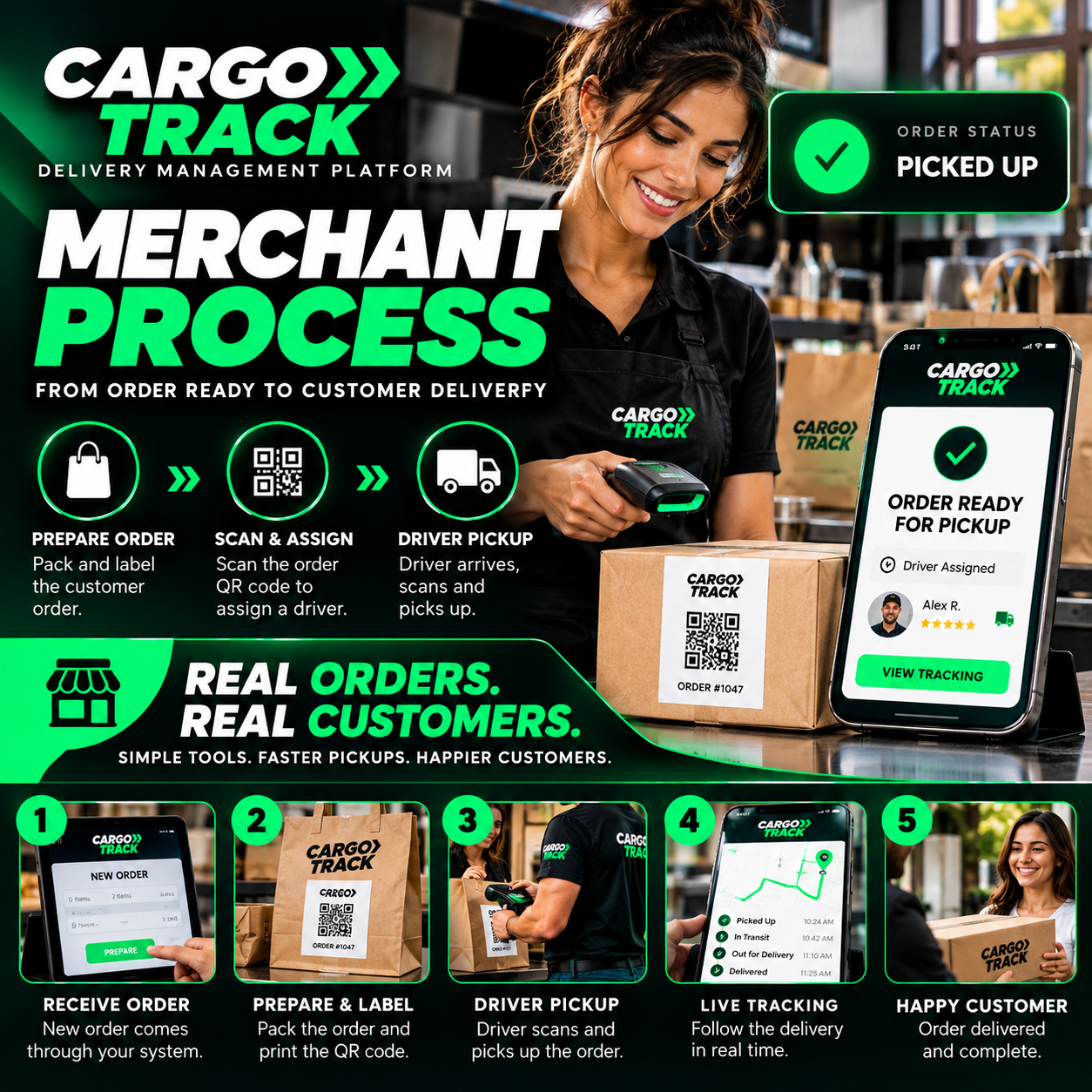
CREATE DELIVERY
Enter the customer delivery information or scan the order to begin a new Cargo Track delivery.
PREPARE ORDER
Package the customer order and prepare it for driver pickup.
PRINT & ASSIGN QR
Generate the Cargo Track QR label and attach it to the correct package for identification.
DRIVER PICKUP
The assigned driver arrives, scans the delivery QR code and confirms pickup.
TRACK DELIVERY
Follow the order from pickup through en route status to completed delivery.
KNOW WHERE THE
DELIVERY IS.
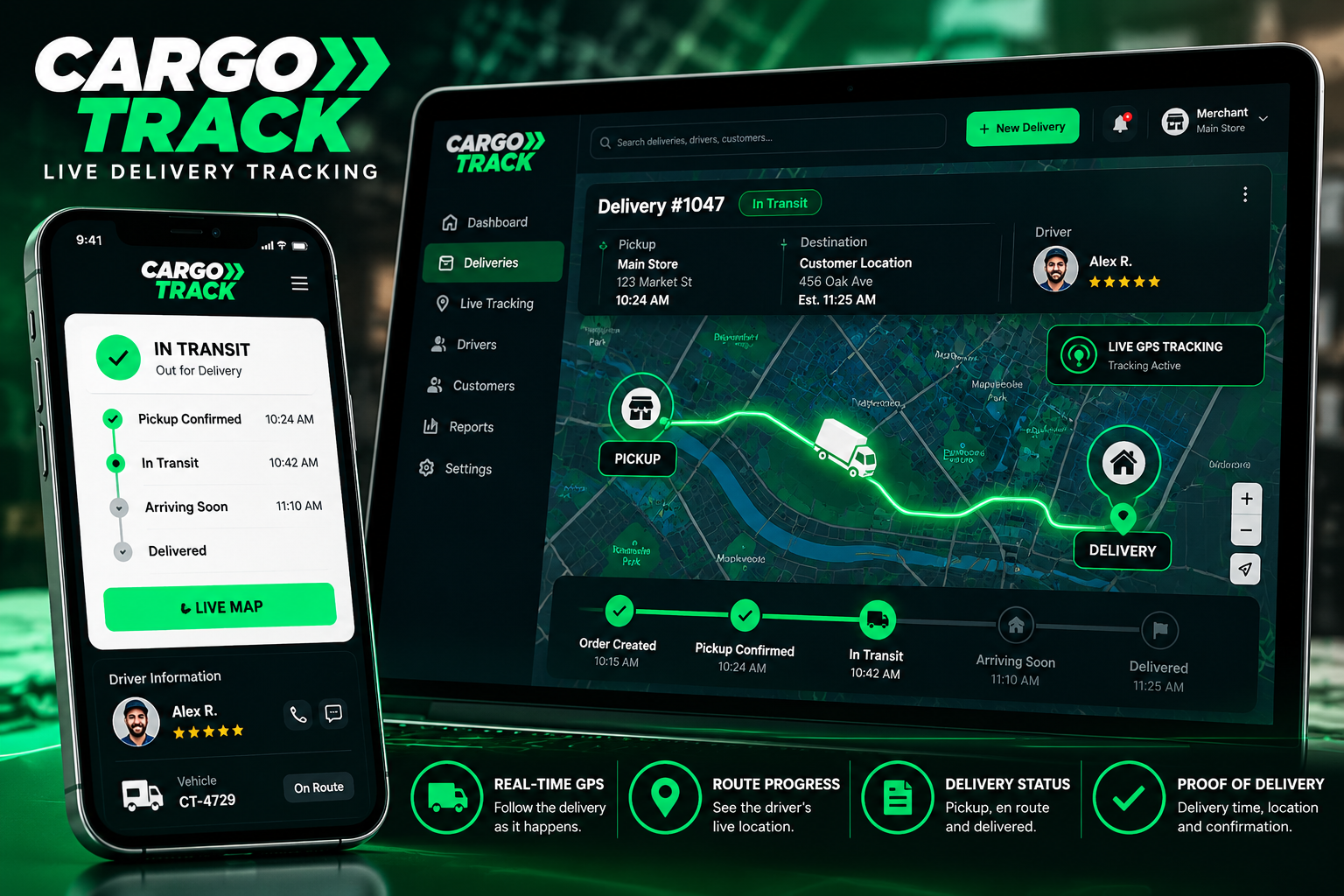
From merchant pickup to final delivery, Cargo Track keeps each trip connected to one live workflow — giving merchants visibility into driver progress, delivery status and completion.
PICKUP CONFIRMED
The driver scans the Cargo Track QR code and confirms the assigned order has been picked up.
LIVE GPS PROGRESS
Cargo Track records delivery progress while the driver moves from the merchant location toward the customer.
ARRIVAL CONFIRMED
When the driver reaches the delivery location, the workflow moves into the final delivery process.
VERIFY & DELIVER
Complete the required recipient verification before releasing the order and finishing the delivery.
PROOF & COMPLETE
Delivery status, completion details and proof of delivery stay connected to the Cargo Track delivery record.
FROM THE MERCHANT COUNTER TO THE CUSTOMER'S DOOR.
Cargo Track connects order creation, QR identification, driver pickup, GPS progress and proof of delivery into one streamlined delivery process.